How I Set Up a Business Network – From the First Meeting to Stable Operations
When I set up a company network, I never start by simply plugging in equipment and hoping everything will work. I start by understanding the business. For me, that is the foundation of everything. A network should not only work technically. It should fit the way the company actually works every day.
I want to build networks that are stable, secure, clear, and easy to manage. It should be easy to understand how everything fits together, easy to troubleshoot when something happens, and easy to expand when the company grows.
I start by listening to the company
The first thing I do is talk to the company and understand how it works. I want to understand the daily workflow before I decide how the network should be built.
I usually ask how many users there are today, how many computers are in use, whether staff work remotely, which systems are most important, whether there is sensitive information involved, and whether the company plans to grow in the future.
That step matters, because a small office with ten people does not need the same solution as an environment with several departments, servers, guest networks, printers, cameras, and remote work. If I understand the business first, it becomes much easier to build the right foundation from the beginning.
Then I map the network
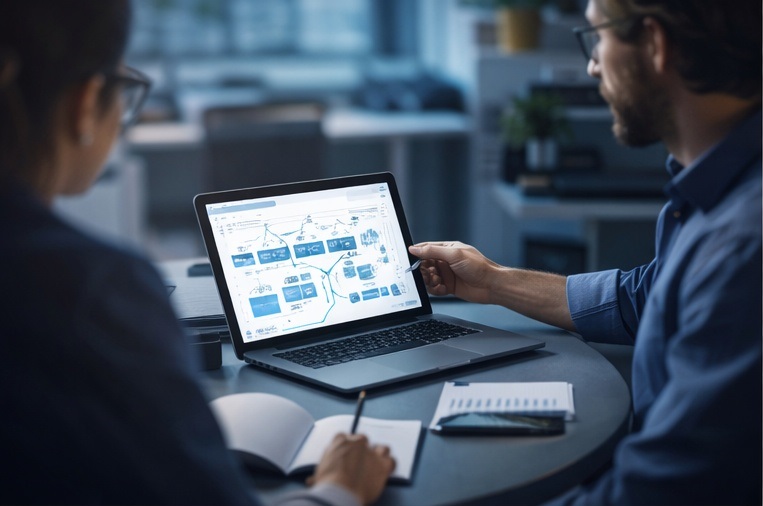
Once I understand the needs, I always create a network diagram. I use a diagramming tool, and sometimes an AI tool to help me visualize the structure quickly, but I always refine it myself so that it becomes clear and realistic.
In the diagram I show the internet connection, firewall, switches, access points, servers, client computers, network zones, IP ranges, VLANs, important services, and how traffic should flow between different parts of the environment. I also mark where encryption is used, such as VPN connections or secure communication between systems.
That gives me a view of the full topology before I start building. Design flaws are often easier to spot on paper than after equipment is already installed.
I inventory the environment first
Before installation starts, I want to know exactly what exists in the environment. I inventory computers, servers, printers, network devices, access points, licenses, and operating systems. I like to document the model, location, role, and who uses what.
It may sound like a dull step, but it saves a great deal of time later. When something needs to be replaced, documented, or troubleshot, it is a major advantage to already have order in the environment. I also like to label what can be labeled, such as cables, patch panels, rack positions, switch ports, and wall outlets.
I plan the IP structure early
A clear IP plan is something I establish very early. I want different types of devices to live in different networks. Client computers can be in one network, servers in another, printers in a third, the guest network in a fourth, and perhaps cameras or other IoT devices in a fifth.
That makes the network easier to understand, easier to secure, and easier to troubleshoot. When I see an IP address, I want to be able to understand roughly what type of device it belongs to and where it belongs.
I also define naming standards early. Servers, clients, switches, access points, and administrator accounts should follow a consistent naming model. It sounds like a small detail, but in larger environments it makes day-to-day work much easier.
I often simulate the design before installation
Before I build the network for real, I often simulate the design in Cisco Packet Tracer. There I can test the topology, VLAN separation, routing logic, and whether the addressing plan looks reasonable. It is much better to discover design problems in a simulation than after everything is mounted on site.
I build the infrastructure step by step
When planning is finished, I start building the infrastructure itself. I usually begin with the internet connection and the firewall, then continue inward through the network.
Firewall first
The firewall is the outer door of the network. Here I configure what is allowed in and out, how remote access should work, and how different parts of the environment should be separated from one another. I work with NAT, VPN, firewall rules, and in some environments also protections that can detect or block suspicious traffic. My basic principle is simple: nothing should be open unless there is a clear reason for it.
Switches and internal structure
Once the firewall is in place, I set up the switches. I almost always prefer managed switches so I can work with VLANs, trunk ports, port security, monitoring, and clear segmentation. I also make sure uplinks are configured correctly, that ports are documented, and that link speeds and connections look reasonable.
Wi-Fi and guest network
I plan the wireless network separately. I almost always divide it into at least two parts: an internal network for staff and a guest network for visitors. The guest network should not be able to reach internal company resources. It should only provide internet access. Where possible, I also prefer stronger wireless authentication so access can be controlled per user instead of relying only on one shared password.
I segment the network with VLANs
I rarely build a completely flat network where every device sits in the same segment. Instead I divide the environment with VLANs. I usually separate clients, servers, printers, guest access, administration of network equipment, and sometimes voice systems or cameras.
That makes the network both safer and easier to manage. If a problem occurs in one area, it should not automatically affect everything else. I also get much better control over which traffic should be allowed between different parts of the environment.
I think about redundancy early
I try to avoid single points of failure wherever possible. In smaller companies it is not always realistic to build full redundancy everywhere, but I still like to think carefully about where the risks are. That can mean two switches instead of one, RAID in servers, dual internet connections, UPS protection during power loss, or a secondary DNS server that can take over if the first one fails.
I like to build the server environment virtually
When the environment is suitable, I like to run servers virtually. That makes backup easier, resource allocation cleaner, and the structure more flexible. Instead of each service needing its own physical machine, several services can run in separate virtual machines with clear roles.
This is also how I usually set up Windows Server 2025: with clear role separation, good naming, proper update routines, and as little unnecessary complexity as possible.
Active Directory, DNS, DHCP, Group Policy, and time synchronization
If the environment uses Windows infrastructure, I usually build a stable Active Directory foundation first. DNS must be correct, because many other services depend on it. DHCP should be clear, documented, and predictable. Group Policy should help create secure and consistent client settings. Time synchronization is also important, because authentication and logging become unreliable if systems do not keep correct time.
I also use Linux where it fits best
I am very comfortable using Linux in the right places, especially for infrastructure services, logging, monitoring, proxies, security tooling, and certain lightweight server roles. I choose the operating system based on the need, not based on habit.
I manage users and accounts professionally
I want user and account management to be clear and structured. I only give the access that is actually needed. I separate standard accounts from administrative accounts, add MFA where possible, and standardize the client computers so support and security become easier.
I prefer to test changes in a staging environment first
When I can, I test changes in a staging or lab environment before touching production. That reduces risk, makes troubleshooting easier, and creates a calmer rollout.
I patch regularly and with a plan
Updates should not be random or forgotten. I like regular, planned patching for servers, clients, network devices, and critical applications. That reduces security risk and often prevents strange issues later.
I document while I work
I document changes as I go. I also save configurations from network devices so recovery is faster if hardware fails. I like central logging and security visibility, and I use tools such as Wazuh when it fits. I also use ordinary operational monitoring, not only security logs.
I always check latency and real network performance
A network can look fine on paper and still feel bad in reality. That is why I verify real latency, packet loss, throughput, and actual user experience. Depending on the environment, I may use Wireshark, tcpdump, Cisco NetFlow, the switch’s own tools, and capacity analysis to understand traffic and behavior.
I isolate sensitive systems and think about backup and recovery
Sensitive systems should be isolated properly. Backup is not finished until recovery has been tested. I also think about disaster scenarios, restoration priorities, and how the business would recover if an important service failed.
I do not forget physical security
Good network design is not only logical. It is also physical. Equipment should be placed safely, racks should be organized, and access to critical hardware should be controlled.
I document the whole environment and plan for the future
I want the environment to be documented clearly enough that someone else can understand it as well. I also plan for future growth, not only for today’s needs. The network should be able to scale without becoming a patchwork.
I always finish with a final control
Before I consider the work complete, I go through a final review: connectivity, segmentation, remote access, performance, logging, documentation, backup, and recovery readiness. I want to know that the environment works not only when everything is calm, but also when something unexpected happens.
My basic idea in all of this
My core idea is simple: a business network should be stable, secure, clear, and manageable. It should support the business, not get in the way of it. When the design is thoughtful from the beginning, daily work becomes easier, support becomes calmer, and future growth becomes much easier to handle.